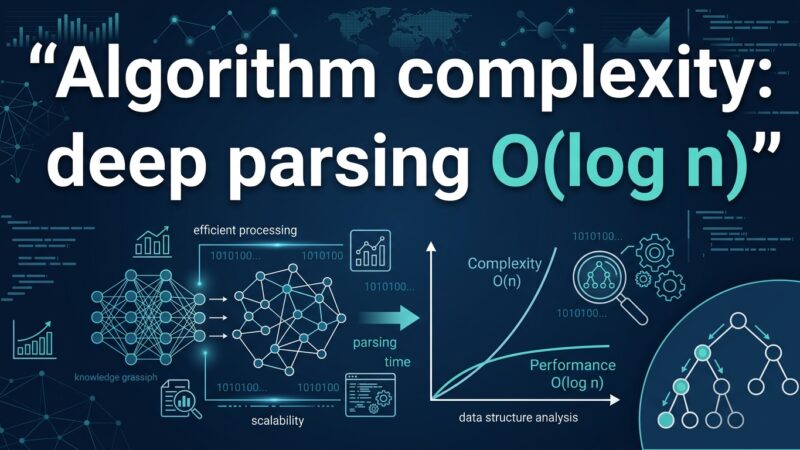
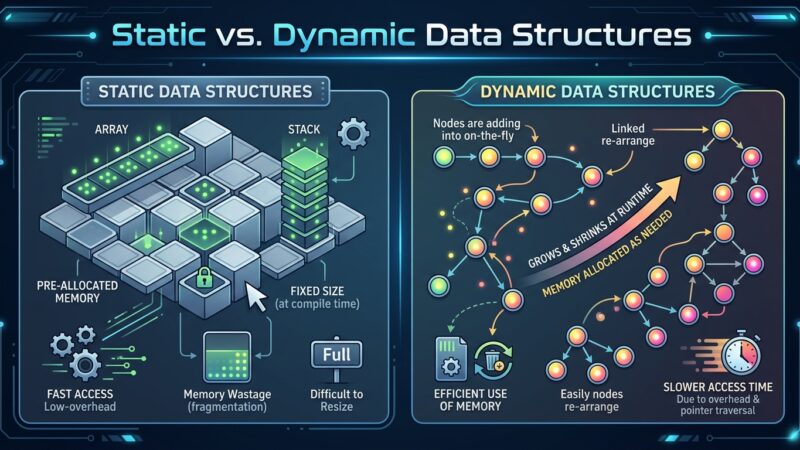
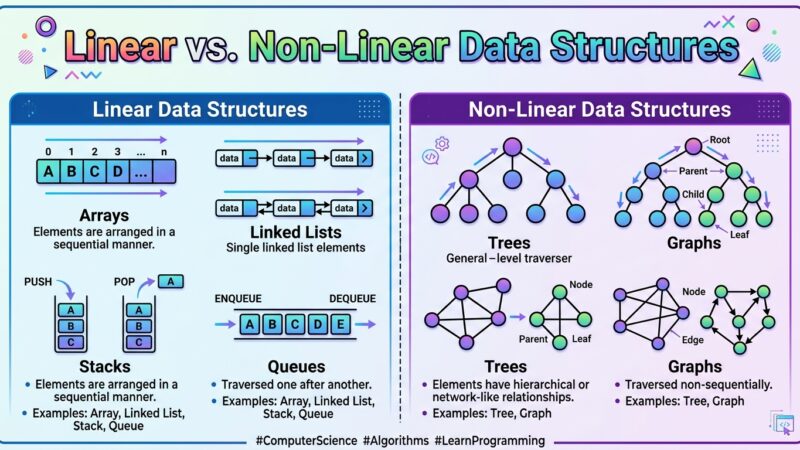
Hi! Today’s lecture will be a little different from the others. It’s different in that it’s only tangentially related to Java. In short: the complexity of an algorithm isn’t a matter of seconds, but rather how quickly the number of steps grows as the data volume grows. It’s written in Big-O notation. O(1) means the time doesn’t depend on the data volume at all, O(N) means it grows proportionally to the volume, and O(log n) means it grows very slowly because each step discards half the remaining options. Next, we’ll explore all three, using both practical examples and code.
Briefly
- The complexity of an algorithm is not the time in seconds, but the dependence of the number of actions on the volume of input data.
- It is written using Big-O, and the speed of the hardware and the channel width are deliberately ignored: the algorithm itself is evaluated.
- O(1), constant complexity: time does not depend on the data size. Example: inserting an element at the beginning
LinkedList. - O(N), linear: twice the data, so twice the time. Example: printing all the elements of an array in a loop.
- O(log n), logarithmic: each step discards half of the possibilities. Example: binary search in a sorted array.
- The difference is visible on large data sets: in an array of 10,000 elements, brute force performs 10,000 checks, while binary search only performs 14.
Now, let’s take things in order.
This topic is nevertheless very important for every programmer. We’ll talk about algorithms.
What is an algorithm?
In simple terms, it’s a certain sequence of actions that must be completed to achieve a desired result. We often use algorithms in our daily lives. For example, every morning you have a task: show up for school or work and be:
- Dressed
- Clean
- Full
What algorithm will allow you to achieve this result?
- Wake up to the alarm clock.
- Take a shower, wash your face.
- Prepare breakfast, make coffee/tea.
- To eat.
- If you haven’t ironed your clothes in the evening, iron them.
- Get dressed.
- Leave the house.
This sequence of actions will definitely get you the desired result. In programming, the essence of our work is constantly solving problems. A significant portion of these problems can be solved using already known algorithms. For example, you are faced with the task of sorting a list of 100 names in an array. This problem is quite simple, but there are different ways to solve it. Here is one possible solution: An algorithm for sorting names alphabetically:
- Buy or download the “Dictionary of English Personal Names”.
- Find each name from our list in this dictionary.
- Write down on a piece of paper which page of the dictionary the name is on.
- Arrange the names in order using the notes on the piece of paper.
Will this sequence of actions solve our problem? Yes, it certainly will. Will this solution be effective? Unlikely.
Efficiency of the algorithm
Here we come to another very important property of algorithms: their efficiency. There are many ways to solve a problem. But both in programming and in everyday life, we choose the most efficient method. If your task is to make a sandwich with butter, you could, of course, start by sowing wheat and milking a cow. But this would be an inefficient solution: it would take a lot of time and cost a lot of money. To solve your simple problem, you could simply buy bread and butter. The wheat-and-cow algorithm, while solving the problem, is too complex to be practical.
What is Big-O?
To evaluate the complexity of algorithms in programming, a special notation called Big-O was created. Big-O allows one to estimate how much an algorithm’s execution time depends on the data passed to it .
Linear complexity: O(N)
Let’s look at the simplest example: data transfer. Imagine you need to transfer some information in the form of a file over a long distance (say, 5,000 kilometers). Which algorithm would be the most efficient? It depends on the data it has to work with. For example, we have an audio file that is 10 megabytes in size.  In this case, the most efficient algorithm would be to transfer the file over the Internet. It would take a couple of minutes at most! So, let’s restate our algorithm: “If you need to transfer information in the form of files over a distance of 5,000 kilometers, you need to use data transfer over the Internet.” Great. Now let’s analyze it. Does it solve our problem? Generally speaking, yes, it does. But what about its complexity? Hmm, that’s where things get interesting. The thing is, our algorithm is highly dependent on the incoming data, namely the file size.
If the data becomes twice as large, the time to transfer it will also double. If the data becomes 10 times as large, the transfer time will increase 10 times. Using Big-O notation, the complexity of our algorithm is defined as O(N). This notation is best remembered for future reference: it is always used for algorithms with linear complexity. Note: we are not talking about various “variables” here at all: internet speed, the power of our computer, and so on. When assessing the complexity of an algorithm, this simply makes no sense: we can’t control it anyway. Big-O evaluates the algorithm itself, regardless of the “environment” in which it will operate.
Constant complexity: O(1)
Let’s continue with our example. Let’s say we end up with a file size of 800 terabytes. If we transfer it over the internet, the problem is certainly solved. There’s just one problem: transferring over a standard modern connection (100 megabits per second), which is what most of us use at home, will take approximately 708 days. Almost 2 years! :O So, our algorithm clearly isn’t suitable here. We need a different solution! Suddenly, the IT giant, Amazon, comes to our aid! Its Amazon Snowmobile service allowed us to load large volumes of data into mobile storage units and deliver them to the desired address by truck. Amazon itself shut down the service in 2024, deciding that cheaper methods had emerged, but as an illustration of the constant complexity, this truck is still flawless.
So, we have a new algorithm! “If you need to transfer information in the form of files over a distance of 5,000 kilometers and this process will take more than 14 days over the internet, you should use Amazon’s truck.” The figure of 14 days was chosen randomly: let’s say this is the maximum period we can afford. Let’s analyze our algorithm. What about speed? Even if the truck travels at just 50 km/h, it will cover 5,000 kilometers in just 100 hours. That’s just over four days! This is much better than the internet transfer option. And what about the complexity of this algorithm? Will it also be linear, O(N)? No, it won’t. After all, the truck doesn’t care how heavily you load it; it will still travel at roughly the same speed and arrive on time. Whether we have 800 terabytes of data or 10 times more, the truck will still get there in 5 days. In other words, the algorithm for delivering data via truck has constant complexity. “Constant” means that it doesn’t depend on the data fed to the algorithm. Put a 1 GB flash drive in the truck, and it will arrive in 5 days. Put 800 terabytes of data in there, and it’ll arrive in 5 days. When using Big-O, constant complexity is denoted as O(1).
The same examples, but in code
Now that we’ve covered O(N) and O(1), let’s look at more “programming” examples. : Let’s say you’re given an array of 100 numbers, and your task is to print each one to the console. You write a simple loopfor that accomplishes this task.
int[] numbers = new int[100];
// ..fill the array with numbers

for (int i: numbers) {
   System.out.println(i);
}
What is the complexity of the algorithm? Linear, O(N). The number of steps the program must perform depends on how many numbers are passed to it. If the array contains 100 numbers, the steps (outputs to the screen) will be 100. If the array contains 10,000 numbers, 10,000 steps will need to be performed. Can our algorithm be improved? No. In any case, we will have to perform N iterations over the array and N outputs to the console. Let’s look at another example.
public static void main(String[] args) {
    LinkedList<Integer> numbers = new LinkedList<>();
    numbers.add(20202);
    numbers.add(123);
    numbers.add(8283);
}
We have an empty list LinkedListinto which we insert several numbers. We need to estimate the complexity of the algorithm for inserting a single number into LinkedListour example, and how it depends on the number of elements in the list. The answer is O(1), constant complexity. Why? Note: each time we insert a number at the beginning of the list. Also, as you remember, when inserting numbers, LinkedListelements are not moved; references are reassigned (if you’ve forgotten how LinkedList works, check out one of our old lectures ). If the first number in our list is nowx and we insert a number y at the beginning of the list, all we need to do is:
x.previous = y;
y.previous = null;
y.next = x;
For this reference redefinition, we don’t care how many numbers are currently inLinkedList one or a billion. The complexity of the algorithm will be constant: O(1).
Logarithmic complexity
Don’t panic! If the word “logarithmic” makes you want to quit reading this lecture, just wait a few minutes. There won’t be any mathematical complexities here (there are plenty of such explanations elsewhere), and we’ll walk through all the examples in a simple manner. Imagine you need to find one specific number in an array of 100 numbers. More precisely, check whether it’s there at all. As soon as the desired number is found, stop searching and print the following message to the console: “The desired number has been found! Its index in the array =… How would you solve this problem? The solution is obvious: you need to iterate through the array elements one by one, starting with the first (or last) and checking whether the current number matches the one you’re looking for. Accordingly, the number of steps directly depends on the number of elements in the array. If we have 100 numbers, then we need to move to the next element 100 times and check the number for a match 100 times. If there are 1000 numbers, then there will be 1000 check steps. This is obviously linear complexity, O(N). Now we will add one clarification to our example: the array in which you need to find the number is sorted in ascending order. Does this change anything for our problem? We can still search for the required number by brute force. But instead, we can use the well-known binary search algorithm.
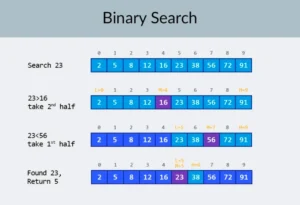
Please note: The number of elements in the array increased by a factor of 100 (from 10 to 1000), while the number of checks required for binary search increased by only 2.5 times, from 4 to 10. If we get to 10,000 elements, the difference is even more impressive: 10,000 checks for linear search, and only 14 checks for binary search. And again, the number of elements increased by a factor of 1000 (from 10 to 10,000), while the number of checks increased by only 3.5 times (from 4 to 14). The complexity of the binary search algorithm is logarithmic, or, in Big-O notation, O(log n). Why is it called that? A logarithm is the inverse of raising to a power. The binary logarithm is used to calculate powers of 2. For example, we have 10,000 elements that we need to iterate over using binary search.
| Array size | Linear search | Binary search |
|---|---|---|
| 10 | 10 | 4 |
| 50 | 50 | 6 |
| 100 | 100 | 7 |
| 500 | 500 | 9 |
| 1000 | 1000 | 10 |
| 2000 | 2000 | 11 |
| 3000 | 3000 | 12 |
| 4000 | 4000 | 12 |
| 5000 | 5000 | 13 |
| 6000 | 6000 | 13 |
| 7000 | 7000 | 13 |
| 8000 | 8000 | 13 |
| 9000 | 9000 | 14 |
| 10000 | 10000 | 14 |
Now you have the table in front of you, and you know that this requires a maximum of 14 checks. But what if you don’t have the table in front of you, and you need to calculate the exact number of checks required? It’s enough to answer a simple question: to what power must the number 2 be raised so that the result obtained is >= the number of elements being checked? For 10,000, this is the 14th power. 2 to the 13th power is too small (8192). But 2 to the 14th power = 16384; this number satisfies our condition (it is >= the number of elements in the array). We’ve found the logarithm: 14. That’s exactly the number of checks we need! :
Three types of difficulty: summary
Everything that was discussed above fits into three lines:
| Designation | What is it called? | What does it mean? | Example from the lecture |
|---|---|---|---|
| O(1) | constant | The time does not depend on the volume of data at all | The truck travels for 5 days with both the flash drive and 800 terabytes. Insert the number at the beginning.LinkedList |
| O(log n) | logarithmic | Each step discards half of the remaining options. | Binary search in a sorted array |
| O(N) | linear | Twice the data means twice the time. | Transferring a file over the internet. Printing all array elements in a loop. |
What to read and where to practice
Algorithms and their complexity are too broad a topic to fit into a single lecture. But knowing them is crucial: you’ll be asked algorithmic problems in many interviews. For theory, I can recommend several books. You can start with “Grokking Algorithms “: although the examples in the book are written in Python, the language and examples are very simple. It’s the best choice for a beginner, and it’s also compact. For more serious reading, try books by Robert Laforet and Robert Sedgewick. Both are written in Java, which will make learning a bit easier for you. After all, you’re already quite familiar with the language! For students with a good mathematical background, Thomas Cormen’s book is the best option. But theory alone won’t suffice! “Knowing” != “Being able to.” You can practice solving algorithmic problems on HackerRank and LeetCode. The problems from this book are often used even in interviews at Google and Facebook, so you definitely won’t get bored. To reinforce the lecture material, I recommend watching this excellent video about Big-O on YouTube. See you in the next lectures!
Questions and Answers
What is Big-O in simple terms?
This is a way to record how the number of algorithm operations increases as the data volume grows. Not how many seconds it runs, but how quickly this work increases. Therefore, Big-O doesn’t use megahertz or megabits: these vary from machine to machine, while the algorithm’s dependence on data volume is unique and constant.
How is O(1) different from O(N)?
With O(1), the execution time is the same regardless of the input size: no matter how much the input increases, the number of operations remains the same. With O(N), it grows proportionally with the input: twice the number of elements, twice the work. Inserting at the beginning LinkedListis O(1), while iterating over an array in a loop is O(N)
Why doesn’t Big-O take computer speed into account?
Because it has nothing to do with the algorithm. A fast machine will iterate over ten elements faster than ten thousand, but the number of checks itself won’t change. Big-O describes a property of the algorithm, not the hardware, so the same algorithm has the same complexity on both a laptop and a server.
What is O(log n) and why is the logarithm binary?
Logarithmic complexity means that each step of the algorithm discards half of the remaining variants. The logarithm is binary here precisely because the data is divided in two. To calculate the number of steps, simply ask: to what power must 2 be raised to get at least the number of elements? For 10,000 elements, this is the 14th power, meaning there will be a maximum of 14 checks.
Does Java have a built-in binary search?
Yes, you don’t need to write it manually. The class java.util.Arrayshas a method binarySearch()for arrays and a java.util.Collectionsmethod of the same name for lists. Both return the index of the found element, or a negative number if the element doesn’t exist. One condition is mandatory: the array or list must be pre-sorted; otherwise, the result is unpredictable.
What is the complexity of the basic operations of ArrayList and LinkedList?
In the ArrayListcase of index access, it’s O(1, but inserting or deleting at the beginning is O(N): all elements must be shifted. In the case LinkedListof the opposite, inserting and deleting at the edges is O(1), but index access is O(N), because the required node must be reached via links. Searching for a value is O (N)contains() in both cases.