Algorithm vs. Program
An algorithm is an abstract, step-by-step design for solving a problem, whereas a program is the concrete implementation of that algorithm written in a computer language for execution.
Algorithm
Definition
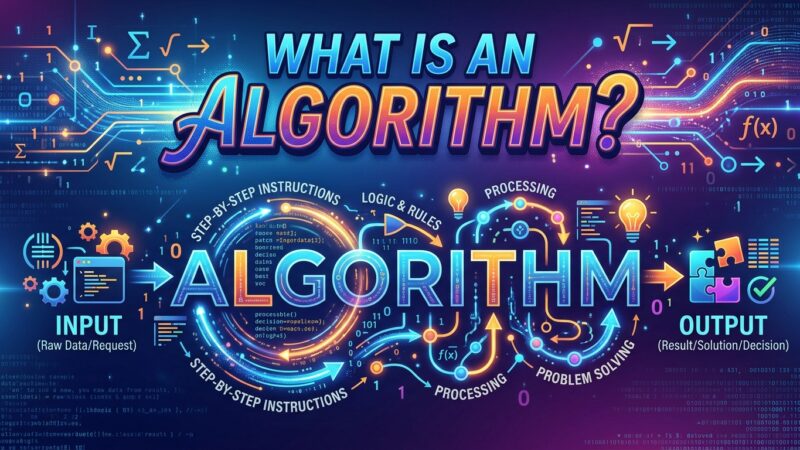
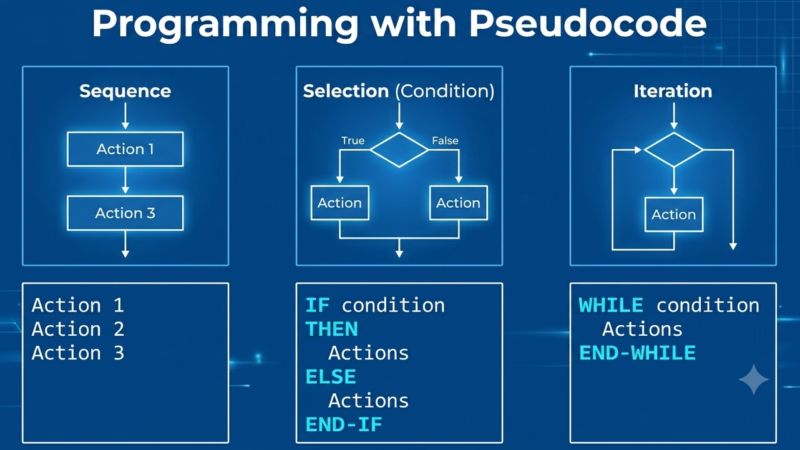
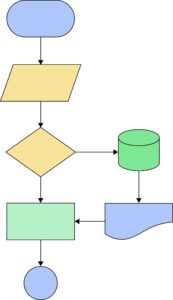
An algorithm is a finite, well-defined sequence of logical steps or rules designed to solve a specific problem or perform a task. It is platform-independent and written in natural language, pseudocode, or visual flowcharts.
Types of Algorithms
Divide and Conquer: Breaks a problem into smaller sub-problems, solves them, and combines results (e.g., Merge Sort).
Greedy Algorithm: Makes the locally optimal choice at each step to find a global optimum (e.g., Dijkstra’s shortest path).
Dynamic Programming: Solves complex problems by breaking them into overlapping sub-problems and storing intermediate results.
Brute Force: Evaluates every possible solution until the correct one is found.
Backtracking: Builds candidates incrementally and abandons a path (“backtracks”) as soon as it determines the candidate cannot yield a valid solution (e.g., N-Queens).
Detailed Description
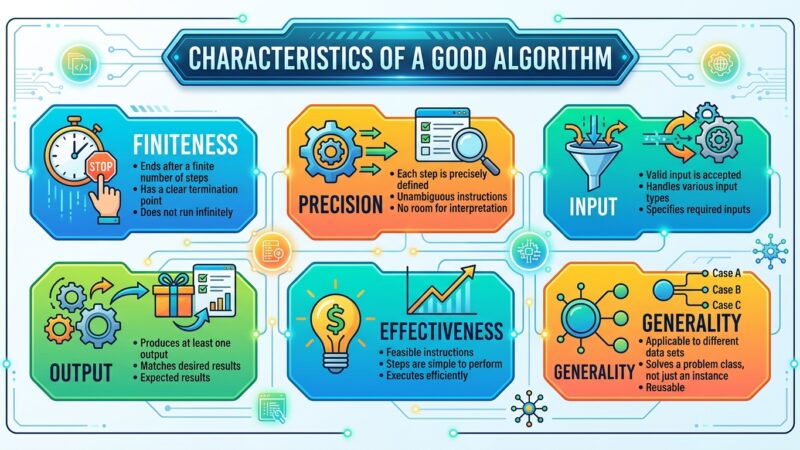
Algorithms exist purely in the conceptual and theoretical realm. They are evaluated using mathematical frameworks like Big-O notation ($\mathcal{O}$) to measure Time Complexity (how execution time scales with input size) and Space Complexity (how memory usage scales). An algorithm must satisfy five core characteristics:
Input: Zero or more well-defined quantities.
Output: At least one defined result.
Definiteness: Every step must be unambiguous.
Finiteness: Must terminate after a finite number of steps.
Effectiveness: Every operation must be basic enough to be carried out in principle.
Advantages & Disadvantages
Advantages:
Independent of hardware, operating systems, and programming languages.
Easy to analyze, debug, and optimize before writing code.
Serves as a clear blueprint for team collaboration.
Disadvantages:
Writing complex algorithms can be time-consuming.
Abstract logic does not account for real-world system constraints (e.g., hardware memory limits, I/O latency).
Real-World Applications
Search Engines: Google PageRank ranks web pages based on authority graphs.
Navigation: GPS routing using A* or Dijkstra’s algorithm to calculate fastest driving routes.
Recommendation Engines: Collaborative filtering used by Netflix and Spotify to recommend media.
Program
Definition
A program is a concrete set of instructions written in a specific programming language (such as C++, Java, or Python) that a computer’s CPU can execute to perform a specific task.
Types of Programs
System Software: Operating systems, compilers, and device drivers that manage hardware resources (e.g., Linux, Windows).
Application Software: End-user programs designed for specific tasks (e.g., Web Browsers, MS Office).
Utility Programs: System maintenance tools (e.g., Antivirus software, disk cleanup tools).
Embedded Programs: Firmware running on microcontrollers inside hardware devices (e.g., microwave controllers, automotive ECUs).
Detailed Description
A program translates abstract algorithmic logic into concrete computer code. It requires compilation or interpretation to convert high-level instructions into machine-readable bytecode or binary object code. Unlike algorithms, programs must handle system-level realities, including memory management, hardware I/O, user interfaces, syntax restrictions, and runtime exceptions.
Advantages & Disadvantages
Advantages:
Directly executable by hardware to solve tasks automatically.
Can interact with external systems, databases, networks, and user inputs.
Supports UI development, concurrency, and persistent storage.
Disadvantages:
Language- and platform-dependent (requires specific runtimes or compilation target architectures).
Prone to system-level errors like syntax bugs, memory leaks, and runtime crashes.
Real-World Applications
Web Browsers: Google Chrome or Mozilla Firefox executing web applications.
Operating Systems: macOS or Android managing memory and hardware scheduling.
Database Systems: PostgreSQL running transactional queries for financial applications.
Comparison Table
| Feature | Algorithm | Program |
| Nature | Abstract, theoretical design | Concrete, executable software |
| Language | Pseudocode, flowchart, natural language | C++, Python, Java, C#, etc. |
| Execution | Cannot be executed directly by hardware | Executed directly by CPU or runtime engine |
| Analysis | Measured by Time & Space Complexity ($\mathcal{O}$) | Measured by execution speed, memory footprint, lines of code |
| Dependency | Hardware and OS independent | Dependent on compiler, OS, and hardware environment |
Code Implementations: Linear Search
Here is how the same abstract algorithm (Linear Search) is implemented as a program across three distinct languages:
C++
#include <iostream>
#include <vector>

int linearSearch(const std::vector<int>& arr, int target) {
    for (size_t i = 0; i < arr.size(); ++i) {
        if (arr[i] == target) {
            return i; // Target found
        }
    }
    return -1; // Target not found
}

int main() {
    std::vector<int> data = {10, 25, 30, 45, 50};
    int target = 30;
    int result = linearSearch(data, target);

    if (result != -1)
        std::cout << "Element found at index: " << result << std::endl;
    else
        std::cout << "Element not found" << std::endl;

    return 0;
}
Python
def linear_search(arr, target):
    for index, value in enumerate(arr):
        if value == target:
            return index  # Target found
    return -1  # Target not found

data = [10, 25, 30, 45, 50]
target = 30
result = linear_search(data, target)

if result != -1:
    print(f"Element found at index: {result}")
else:
    print("Element not found")
Java
public class LinearSearch {
    public static int linearSearch(int[] arr, int target) {
        for (int i = 0; i < arr.length; i++) {
            if (arr[i] == target) {
                return i; // Target found
            }
        }
        return -1; // Target not found
    }

    public static void main(String[] args) {
        int[] data = {10, 25, 30, 45, 50};
        int target = 30;
        int result = linearSearch(data, target);

        if (result != -1) {
            System.out.println("Element found at index: " + result);
        } else {
            System.out.println("Element not found");
        }
    }
}Explore More IT Terms
#
A
- A Guide to SQL Query Formatting
- A/B testing
- AES Encryption Algorithm: How It Works and Where It's Used
- Agile
- Algorithm
- Algorithm Complexity
- Algorithm vs. Program
- Algorithms and Data Structures in C#
- An overview of the C # programming language
- An overview of the Python programming language
- Anaconda Python
- Android
- Android App Bundle
- Android SDK
- Angular
- Ansible
- Apache
- Apache Airflow
- Apache Kafka
- Apache Tomcat
- App Store
- AppCode
- Applications of microcontrollers: From simple circuits in electronics to complex systems
- Applications of the derivative
- Arduino: How to Program It: Basics for Beginners
- Array-based stack
- ArrayList
- ASCII
- ASP.NET
- Assembly Language Lessons
B
C
D
- Data Analytics: applications of data analysis in companies
- Data Engineer - Who is it, what does a data engineer do, and an overview of the profession
- Data modeling: what it is, types, and process steps.
- Data preprocessing: a complete guide for beginners and professionals.
- Data structure
- Data Structures and Algorithms (DSA)
- Database Tests with Answers
- Deep Learning
- Defining Aliases
- Defining Arrays
- Deque
- Developing a Website from Scratch
- Differential Equations
- Differentiation of functions
- Digital data: understand the importance of this asset for businesses.
- Double integrals
- Doubly linked lists
- DSA Tutorial
E
F
H
- Handling errors and exceptions
- Heads or Tails? How Probability Theory Is Used in IT
- History of the development of computer science
- Homogeneous equations
- How to effectively organize your workflow
- How to Learn Java: Tips for Beginner Developers
- How to Learn PHP: A Beginner's Guide
- How to Use S3 Storage in Kubernetes with CSI
- HTML
- HTML and CSS: Definition, Application, and Operating Principles
- HTML and CSS. Layout from Scratch: What to Learn, Where to Learn, and How Long Will It Take?
- HTML Frame Structure
- HTML Link Formatting
I
- if..else construction
- Infinite sequences and series
- Information properties
- Inheritance in Java: A Complete Guide to Principles and Implementation
- Inserting an Image
- Integration of functions
- Interactive Python Tutorial – Learn Programming from Scratch
- Interpreter
- Interview Problem: Finding a Deleted Element in O(N)
- Interview Scare: The FizzBuzz Challenge
- Introduction to C++
- Introduction to Machine Learning
- Introduction to Networking | Network Fundamentals Part 1
- Introduction to Number Systems (Binary, Octal, Hexadecimal) | Math for CS Foundations #1
- IT Specialist Resume (CV)
J
K
L
M
- Machine Learning
- Machine Learning Basic Tool: NumPy
- Machine Learning Basic Tool: Pandas
- Machine Learning Mathematics
- Mathematics for programmers: what is really needed?
- MD5 encryption algorithm: What is it and why is it needed?
- Microcontroller and Microprocessor - what's the difference?
- ML Engineer: Who They Are, What They Do, How Much They Earn, and How to Become a Neural Network Specialist
- Monte Carlo Simulation: How It Works and What It's For
O
P
- PHP lessons
- Private DNS server and its configuration
- Program code
- Programmer's Dictionary
- Programming
- Programming with pseudocode
- Python Code Formatting Guide: PEP8
- Python for data analysis: how to do it and main libraries
- Python Lessons
- Python Superstar: 5 Ways to Use the * Operator
- Python vs. Julia: Should You Replace Python with Julia?
R
S
- SFML Graphics Library Tutorials
- Sorting Algorithms in Programming: Types, Descriptions, and Comparisons
- SQL commands: see what they are, what the main ones are + examples
- SQL Interview Questions and Tasks
- SQL Lessons
- SQL Stored Procedures
- SQL Syntactic Sugar: The COALESCE Function
- Stack
- Start in analytics: Python or R
- Statistical analysis: importance for decision making.
- String formatting in Python
- Structure of computer science
- Swift Lessons
- switch/match construct
- Syntax
T
- Terms in programming
- Text and paragraph formatting tags
- The concept of information and its transmission
- The Future of Python: Key Trends and Insights from Global Researc
- The Infrastructure of Code: A Complete Guide to Repositories for Languages, Frameworks, and Compilers
- The pip package manager in Python
- The role of informatization in the development of society
- Transfers
- Tutorials / Articles
- TypeScript: What It Is and Why Developers Need It
W
- What are databases, and why do they need DBMS and SQL?
- What do Linux distributions consist of?
- What is .NET and what is it used for?
- What is a data structure?
- What is a GPU in a computer, in simple terms?
- What is a quantum computer: 100,500 problems in one second
- What Is an Algorithm?
- What is Arduino: How it Works and the Platform's Capabilities
- What is Big Data? Introduction, Types, Characteristics, and Examples
- What is Golang and what is it used for?
- What is Haskell and what is it used for?
- What is Kotlin and what is it used for?
- What is Linux? The History of Linux
- What is machine learning, and how does it work?
- What is Power BI: everything about the data analytics software
- What is the C++ programming language?
- What is the OSI Model: A Complete Explanation of the Seven Layers and Their Role in Networking
- What's the difference between x86 and ARM processors?
- Where to start learning the C programming language?
- Which Linux distribution should you choose? A Linux distribution overview