Binary file
A binary file is a data representation format using the binary number system. Unlike text files, which contain information in the form of symbols (letters, numbers, special characters, etc.), these formats store information as a sequence of bits (the smallest units of information consisting of 0 or 1). Binary files can contain different types of data, such as numbers (integer or floating point), characters, audio or video files, images, and much more.
What is a binary file?
Binary files are files with data in binary format, meaning that each value corresponds to a specific sequence of bits. For example, representing the number 7 in this number system requires 4 bits: 0111. Binary files can also contain headers and additional metadata that describe the file’s structure and contents. These headers are used by programs to correctly interpret and process data stored in binary code. Some examples of binary file formats include images (e.g., BMP, JPEG, PNG), sound files (e.g., WAV, MP3), databases, and so on.
Strictly speaking, any file stored on a computer’s hard drive is binary to the computer itself, since the machine’s hardware can only interpret binary code. However, to the user, files are either binary or text. Let’s consider the main differences between them:
- Data storage format. Binary files contain information in binary format, that is, as a sequence of zeros and ones. Text files, on the other hand, store data as characters using a specific encoding, such as ASCII or UTF-8.
- Data readability. One of the key features of binary files is that they are incomprehensible to humans without specialized software or tools. Text files, on the other hand, contain information in plain text. They can be read using any text editor.
- Data storage capacity. Binary files provide more compact data storage, as they preserve the original binary code without unnecessary information. Text files, on the other hand, typically require more memory, as the units of information measurement have a higher degree of dispatchability. Furthermore, using binary data ensures its more accurate representation, as text formats can lose precision when converting numbers or storing special characters.
- Data processing. Binary files can be less accessible for data manipulation than text files. Their contents cannot be read or edited with a standard text editor, requiring specialized software. Furthermore, software developers must be especially careful when working with binary files to avoid compatibility issues or data loss. All this makes them more complex to work with than text files.
- Data types. Binary files can store any type of data, including numbers, strings, images, sound files, and more. Text files, on the other hand, are designed to store text consisting of letters, numbers, and common and special characters.
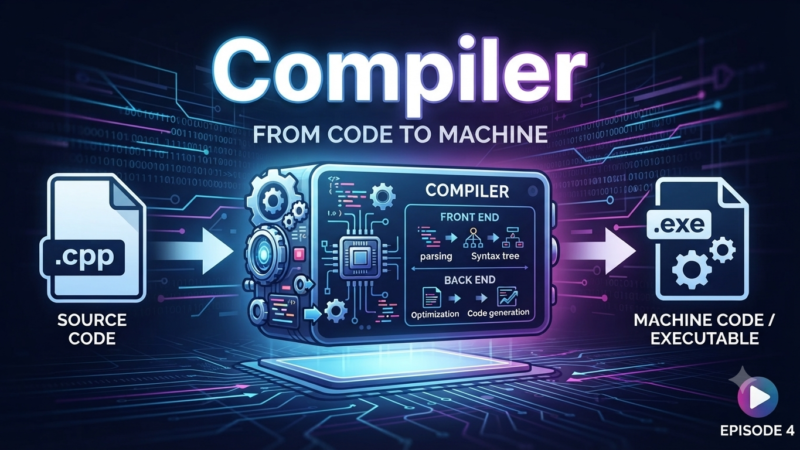
In order for a computer to work with a text file (for example, a program written in a high-level language), it first converts it into binary form using a compiler.
Binary file structure
The structure of binary data can be represented as follows:
- File header. It contains basic information about the file, such as size, creation date, and other metadata. The header is optional but is often used to store additional information about the file.
- Data blocks. A binary file can contain multiple data blocks, separated by markers. Data blocks are typically fixed in size and can contain any data, including numbers, strings, structures, etc.
- Data structure. A binary file can contain structured data, such as arrays, lists, trees, and other types of structures. These are represented as a sequence of information blocks and use special markers to indicate the beginning and end.
- Flags and labels. In the structure of a binary file, they are used to define certain properties or states of the information it contains. For example, flags can indicate the presence of errors or additional information about the data.
- End of file. A binary file typically contains a marker that identifies the end of the data it contains. This marker is used to determine the file’s size and integrity.
The structure of a binary file can vary depending on the specific format or application that uses it. For example, image, audio, and video file formats have their own specific structures defined by their respective standards or specifications.
Reading and processing binary files
Working with binary files is carried out in several stages:
- Opening a file . To begin working with binary data, it must be opened using special tools or methods in a programming language. When opening a file, the access mode is set for both reading and writing.
- Reading data from a file. After opening a binary file, you can begin reading data from it. This can be done in blocks or step-by-step, depending on the file’s structure and the information it contains. To read data from a file, special functions or methods are used that allow you to obtain raw binary data.
- Data conversion. Read binary data may require conversion for further processing. For example, if the data is read as a sequence of bytes, it can be converted to numbers or strings according to the program’s requirements.
- Data processing. After converting binary data, you can begin working with it. Depending on the processing objective, you can perform various operations, such as searching and replacing values, filtering, file structure analysis, and more.
- Writing to a binary file. If you need to modify or append data to a binary file, you can use the appropriate writing functions or methods. New information must first be converted to binary format, if required.
- Closing the file. After reading and processing a binary file, it must be closed to free up resources and ensure all changes are saved.
Working with binary files requires specialized software, as they cannot be opened, viewed, or processed with standard text editors. Such software includes:
- IDA Pro is one of the most popular programs for analyzing and reverse engineering binary files. IDA Pro offers extensive capabilities for examining executable files, disassembling code, searching for vulnerabilities, and detecting potential malware.
- OllyDbg is a debugger for analyzing executable files. OllyDbg allows you to analyze, modify, and debug code contained in binary files. It is useful for researching and detecting vulnerabilities, as well as creating patches and fixing software bugs.
- HxD is a free hexadecimal and disk editor that allows you to view and edit data. HxD provides a user-friendly interface for viewing and editing in various formats and supports various operations such as inserting, deleting, and replacing data.
- FileAlyzer is a powerful tool for analyzing binary data. FileAlyzer allows you to view various file sections, analyze the structure and contents, search for string values, and perform other operations to obtain detailed information about a file.
- Binwalk is a tool for analyzing and extracting data from binary files, such as embedded systems, file system images, and other embedded resources. Binwalk allows you to detect and extract various file types, as well as search for signatures and associated information.
Using Binary Files in Programming
Storing and transferring complex data structures. Binary files provide compact storage of binary information. They allow complex objects, such as arrays, structures, classes, and other data types, to be saved and restored without losing their original structure and format. This makes binary files ideal for working with large volumes of information, such as images, audio files, or databases.
Object serialization and deserialization. Binary files allow objects to be converted into byte sequences and stored in a file or transmitted over a network. Serialization is used to preserve the object’s state or transfer it to another system. Deserialization performs the reverse transformation, allowing an object to be reconstructed from binary data. Both operations are frequently used in database management, client-server systems, and when creating games and data exchange applications.
Reading and writing data streams. Binary files provide a more efficient way to read and write data, especially when working with large volumes of information. They allow formatting characters and other metadata to be omitted, reducing the amount of information transferred and speeding up processing.
Program state management. Binary files can be used to save and restore the program state. This is especially important when working with applications or games that require saving the current game state or user data. This capability is also used in operating systems to recover from critical errors.
Working with Media. Using binary data, images can be saved in formats specifically designed for this purpose, such as BMP, JPEG, PNG, and others. Binary formats preserve every pixel of an image and all its details, making them ideal for working with graphics. Binary files are also widely used in processing audio and video files. Formats such as MP3, WAV, AVI, MP4, and many others use binary data representation to store audio and video information. Binary files allow for the accurate storage and playback of this data, ensuring high-quality processing and playback of media resources.
Software development. Binary files are used in software development to store code and executable files. Binary formats enable efficient compilation, linking, and execution of code, making them an essential tool for creating and running programs.
Working with databases. Binary files are used to store and process information in databases. They allow for compact storage of large amounts of information, such as text, numbers, dates, and other values. Binary formats effectively manage the structure and access to data, ensuring fast and reliable work with it.
Disadvantages of binary files
Inportability. Binary files have a format dependent on the computer architecture and operating system. If they are created on one platform, they may not work on another. To ensure data portability, additional format conversion is required when working with different platforms.
Unreadability. Binary files store data in binary form, which is unreadable to humans. This complicates debugging and testing, which require the use of specialized interpreters, converters, and other tools.
Vulnerability to errors and corruption. An error while reading or writing a binary file can result in partial or complete data loss. Binary files are more susceptible to errors than text files, where incorrect information can be processed or ignored without significant consequences.
Limited data access. Working with binary files requires knowledge and use of low-level operations, such as reading and writing a specific number of bytes. Searching, sorting, or modifying the information contained within them may require additional encoding and data management.
Thus, binary files are one of the two primary methods of representing data used in programming, storing, processing, and transmitting information. Unlike text files, they are more compact and require fewer hardware resources to work with. However, reading, analyzing, processing, and editing binary data requires the use of various specialized tools.
Explore More IT Terms
#
A
- A Guide to SQL Query Formatting
- A/B testing
- Agile
- Algorithm
- Algorithm complexity in 5 minutes
- Algorithms and Data Structures in C#
- An overview of the C # programming language
- An overview of the Python programming language
- Anaconda Python
- Android
- Android App Bundle
- Android SDK
- Angular
- Ansible
- Apache
- Apache Airflow
- Apache Kafka
- Apache Tomcat
- App Store
- AppCode
- Applications of microcontrollers: From simple circuits in electronics to complex systems
- Applications of the derivative
- Arduino: How to Program It: Basics for Beginners
- Array-based stack
- ArrayList
- ASCII
- ASP.NET
- Assembly Language Lessons
B
C
D
- Data Analytics: applications of data analysis in companies
- Data Engineer - Who is it, what does a data engineer do, and an overview of the profession
- Data modeling: what it is, types, and process steps.
- Data preprocessing: a complete guide for beginners and professionals.
- Data structure
- Database Tests with Answers
- Deep Learning
- Defining Aliases
- Defining Arrays
- Deque
- Developing a Website from Scratch
- Differential Equations
- Differentiation of functions
- Digital data: understand the importance of this asset for businesses.
- Double integrals
- Doubly linked lists
E
F
H
- Handling errors and exceptions
- Heads or Tails? How Probability Theory Is Used in IT
- History of the development of computer science
- How to effectively organize your workflow
- How to Learn Java: Tips for Beginner Developers
- How to Learn PHP: A Beginner's Guide
- How to Use S3 Storage in Kubernetes with CSI
- HTML
- HTML and CSS: Definition, Application, and Operating Principles
- HTML and CSS. Layout from Scratch: What to Learn, Where to Learn, and How Long Will It Take?
- HTML Frame Structure
- HTML Link Formatting
I
- if..else construction
- Infinite sequences and series
- Information properties
- Inheritance in Java: A Complete Guide to Principles and Implementation
- Inserting an Image
- Integration of functions
- Interactive Python Tutorial – Learn Programming from Scratch
- Interpreter
- Interview Problem: Finding a Deleted Element in O(N)
- Interview Scare: The FizzBuzz Challenge
- Introduction to C++
- Introduction to Machine Learning
- IT Specialist Resume (CV)
J
K
M
- Machine Learning
- Machine Learning Basic Tool: NumPy
- Machine Learning Basic Tool: Pandas
- Machine Learning Mathematics
- Mathematics for programmers: what is really needed?
- Microcontroller and Microprocessor - what's the difference?
- ML Engineer: Who They Are, What They Do, How Much They Earn, and How to Become a Neural Network Specialist
- Monte Carlo Simulation: How It Works and What It's For
O
P
- PHP lessons
- Private DNS server and its configuration
- Program code
- Programmer's Dictionary
- Programming
- Programming with pseudocode
- Python Code Formatting Guide: PEP8
- Python for data analysis: how to do it and main libraries
- Python Lessons
- Python Superstar: 5 Ways to Use the * Operator
- Python vs. Julia: Should You Replace Python with Julia?
R
S
- SFML Graphics Library Tutorials
- Sorting Algorithms in Programming: Types, Descriptions, and Comparisons
- SQL commands: see what they are, what the main ones are + examples
- SQL Interview Questions and Tasks
- SQL Lessons
- SQL Stored Procedures
- SQL Syntactic Sugar: The COALESCE Function
- Stack
- Start in analytics: Python or R
- Statistical analysis: importance for decision making.
- String formatting in Python
- Structure of computer science
- Swift Lessons
- switch/match construct
- Syntax
T
- Terms in programming
- Text and paragraph formatting tags
- The concept of information and its transmission
- The Future of Python: Key Trends and Insights from Global Researc
- The Infrastructure of Code: A Complete Guide to Repositories for Languages, Frameworks, and Compilers
- The pip package manager in Python
- The role of informatization in the development of society
- Transfers
- Tutorials / Articles
- TypeScript: What It Is and Why Developers Need It
W
- What are databases, and why do they need DBMS and SQL?
- What do Linux distributions consist of?
- What is .NET and what is it used for?
- What is a GPU in a computer, in simple terms?
- What is Arduino: How it Works and the Platform's Capabilities
- What is Big Data? Introduction, Types, Characteristics, and Examples
- What is Golang and what is it used for?
- What is Haskell and what is it used for?
- What is Kotlin and what is it used for?
- What is Linux? The History of Linux
- What is machine learning, and how does it work?
- What is Power BI: everything about the data analytics software
- What is the C++ programming language?
- What is the OSI Model: A Complete Explanation of the Seven Layers and Their Role in Networking
- What's the difference between x86 and ARM processors?
- Where to start learning the C programming language?
- Which Linux distribution should you choose? A Linux distribution overview