Terms in programming
Understanding programming terminology is the first step to mastering the profession. It helps not only to understand materials but also to communicate effectively with colleagues, find solutions to problems, and read technical documentation.
In this article, you’ll find a programmer’s dictionary, organized by category, to serve as your guide.
Why is it important to understand the terminology?
1. Accelerates the learning process
When you understand terms, you absorb new technologies, methodologies, and concepts more quickly. For example, if you know what a “variable,” “function,” or “array” is, you won’t need to waste time repeating them.
2. Facilitates interaction with the team
In the world of development, communication between participants is essential. Programmers, designers, testers, and managers use specialized terminology to describe processes and solutions. Without knowledge of these terms, you will have difficulty interacting with your colleagues.
3. Understanding the context
There is often a specific context. For example, the word “compilation” in the context of Java or C++ development means converting source code into an executable file, but in other languages, this may not be the case.
4. Improves problem-solving ability
When you encounter a bug, it’s important to interpret error messages or logs correctly. Most of these messages contain specific terminology.
5. Simplifies the development of new technologies
Technology is constantly evolving, and to keep up with progress, you need to be prepared to quickly master new approaches. For example, if you’re already familiar with APIs, the transition to learning RESTful APIs will be significantly easier because you already understand how requests and responses work.
6. Creates confidence and professionalism
Feeling “professional maturity” can play an important role when looking for a job or advancing in your career.
7. Reading the documentation
The documentation contains specific terminology; without understanding it, you can miss important details or misunderstand the explanation.
8. Increases work efficiency
Modern development tools, such as IDEs, frameworks, and version control systems, use a variety of specialized terminology. To work effectively with them, it’s important to understand the meaning of various functions and commands. This will allow you to configure and use the tools to their full potential.
Basic terms
What is programming?
Computer programming is the process of creating instructions that a computer executes. These instructions, called code, can control devices, create websites, games, or apps.
Basic terms
- Script: A file containing commands to execute a program.
- Variable: a place to store data.
- Algorithm: a sequence of steps for solving a problem.
- Function: A block of code that performs a specific task.
Dictionary by category
1. Development Basics
- IDE (Integrated Development Environment): software for writing, editing, debugging, and testing.
- Framework: a set of ready-made tools and libraries that facilitate application development.
- Library: a collection of ready-made functions and methods that can be connected to a project to perform specific tasks.
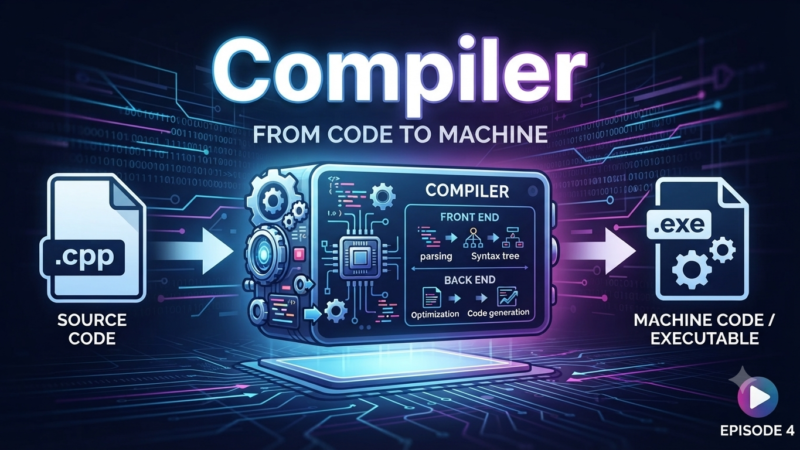
- Compiler: A program that converts source code into executable machine code.
- Interpreter: A program that performs encoding line by line, without first converting it to machine code.
- Repository: A repository where a project’s source code resides, often used for collaborative design.
- Version Control: A system that records changes in coding, allowing you to revert to any previous version.
- Debugging: finding and fixing errors.
- Build: Combining source code, libraries, and resources into a single file or package to run a program.
- Testing: checking the functionality of a program or its individual components.
2. Programming languages
General:
- Variable: A named location for storing data.
- Condition: a test that causes the program to perform certain actions.
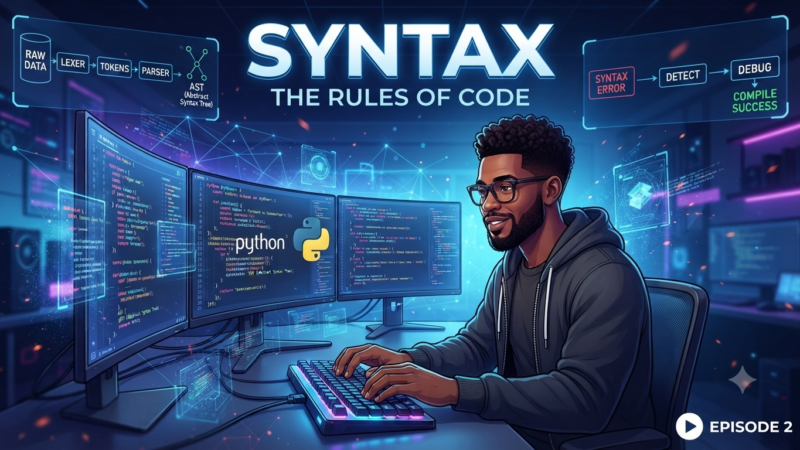
- Syntax: the writing rules for a specific programming language.
- Array: A data structure that stores multiple values in a single object.
- Class: A template for creating objects in object-oriented programming.
- Object: an instance of a class containing data and methods.
- Method: A function that belongs to a particular class.
Specific languages:
- Python
- Module: A file containing code that can be included in other programs.
- Decorator: A special function that modifies the behavior of other functions.
- List: A data structure for storing ordered elements.
- JavaScript
- DOM (Document Object Model): an interface for working with the structure of a web page.
- Event: An action that occurs on a page (such as clicking a button).
- Promise: An object representing the result of an asynchronous operation.
- Java
- Interface: A contract that defines the methods that classes must implement.
- Package: A group of classes and interfaces organized by functionality.
3. Tools, technologies
- API (Application Programming Interface): an interface that allows programs to interact with each other.
- Frontend: the visible part with which the user interacts.
- Backend: the server part where data processing and business logic occur.
- Full-stack: a developer who works with both the frontend and backend.
- DevOps: A set of practices that integrates development and operations to improve software quality.
- CI/CD (Continuous Integration / Continuous Delivery): automation of code build, testing, and deployment.
- Containerization: A technology for packaging an application and all its dependencies into a single container, such as Docker.
- Cloud Computing: Providing computing resources over the Internet.
- Virtual Machine: An emulation of a physical computer running inside another device.
- Serverless computing: A model in which the developer uses cloud resources without managing servers.
4. Development
- Agile: a flexible project management methodology focused on iterative development.
- Scrum: An Agile framework that includes sprints, planning, retrospectives, and daily meetings.
- Sprint: A period of time during which a team completes a specific set of tasks.
- Kanban: A project management method using visual boards.
- MVP (Minimum Viable Product): a minimum viable product that demonstrates key features.
- Roadmap: a product development plan that specifies tasks and deadlines for their completion.
- Refactoring: Improving existing code without changing its functionality.
- Technical Debt: Compromises in development that require correction in the future.
- Code Review: code review by another developer to improve its quality.
Typical mistakes
Error | Description | How to avoid |
Mixing | Confusion between terms that are similar in meaning but have differences in context and application (e.g., API and library). | Study precise definitions and contexts of application. |
Incorrect use | Usage in the wrong context, such as confusion between syntax and semantics, Git and GitHub. | Refresh your knowledge with official sources and check usage in real-life examples. |
Misunderstanding the key fundamentals | Insufficient knowledge of basic concepts, such as the difference between data types, loops, and conditions. | Focus on basic concepts before moving on to advanced topics. |
Underestimating documentation | Ignoring official documentation, a lack of attention to introductory sections, and difficulty translating into other languages. | Read the documentation, especially the introductory sections, and don’t avoid English-language documents if possible. |
Neglect of tools | Not using IDE features, ignoring version control systems, and ignoring error messages. | Use modern development tools (IDE, version control systems) and explore their capabilities. |
Too wide a focus | The desire to learn several technologies at the same time, which leads to a superficial understanding. | Concentrate on one language, gradually expanding your knowledge, starting with basic concepts. |
Helpful tips
1. Use IT glossaries
Consult online dictionaries or glossaries such as MDN Web Docs, Tech Terms to find precise definitions and their usage.
2. Learn terminology by category
Divide them into groups: fundamentals, programming languages, tools, and development processes. Start with the basic concepts and gradually move on to more complex ones.
3. Create your own dictionary
Write down new terms and their definitions. Refer back to your notes periodically and test your knowledge to reinforce the information.
4. Practice on real projects
Working on projects helps you learn terminology in real-world situations, which fosters a deeper understanding of its meaning.
5. Refer to video tutorials and courses
Interactive courses or video tutorials on platforms explain information with examples and practical tasks.
6. Join IT communities
Communicating with experienced specialists on forums or in communities helps you master terminology more quickly.
7. Repeat regularly
Use spaced repetition to improve your memorization. Apps like Anki will help you systematically review what you’ve learned.
8. Read the documentation
Official documentation, such as Python Docs or JavaScript MDN, contains detailed definitions and examples.
9. Analyze projects
Debugging bugs helps you understand the terms associated with specific problems and learn how to use them correctly.
10. Use associations
To remember complex definitions, you can associate them with real-world objects. For example, imagine a variable as a data storage box.
Conclusion
Programming terminology is the foundation for understanding development processes and effective communication in IT. The better you understand these terms, the easier it will be for you to learn, work, and grow in the profession. Regularly learn new terminology, read official documents, and apply your knowledge in practice.
Explore More IT Terms
#
- Using an integrating factor
- Equations in total differentials
- Bernoulli's equation
- Linear differential equations of the first order
- 10 Mixed C++ Challenges to Test Your Skills
- 11 Tricky Non-Technical Questions to Ask in a Recruiting Interview
- 50 Terms Every Programmer Should Know
- 52 Java Thread Interview Questions
- 7 Levels of Using the Zip Function in Python
- 7 Python Code Bugs You Need to Fix
- 70+ Free Resources for Learning Programming
A
- A Comprehensive Guide to HTML and CSS
- A Comprehensive Guide to MODX CMS
- A computer science question tests your ability to work with IP addresses and network masks
- A Guide to SQL Query Formatting for Beginners
- A/B testing
- Abstract Data Type (ADT)
- AES Encryption Algorithm: How It Works and Where It's Used
- Agile
- Algorithm
- Algorithm Analysis
- Algorithm Complexity-Key Points
- Algorithm complexity: deep parsing O(log n)
- Algorithm vs. Program
- Algorithms and Data Structures in C#
- An overview of the C # programming language
- An overview of the Python programming language
- Anaconda Python
- Analysis of graphs and adjacency matrices question
- Android
- Android App Bundle
- Android SDK
- Angular
- Ansible
- Apache
- Apache Airflow
- Apache Kafka
- Apache Tomcat
- App Store
- AppCode
- Applications of microcontrollers: From simple circuits in electronics to complex systems
- Applications of the derivative
- Arduino: How to Program It: Basics for Beginners
- Array-based stack
- ArrayList
- ASCII
- ASP.NET
- Assembly Language Lessons
B
C
- C++ Lessons
- Cache
- Calculating Memory Capacity
- Character sets and encodings
- Characteristics of a good Algorithm
- Circular singly linked list
- Coding Tests with Answers
- Combinational Circuits Solved Questions
- Compiler
- Complexity of algorithms-Tutorial
- Computer Science Fundamentals Test with Answers (47 questions)
- Computer science tests with answers (More than 100 Questions)
- Constants
- Creating a Table in HTML
- Creating Forms in HTML
- Creating Lists
- Cybernetics and informatics
- Cycles
D
- Data Analytics: applications of data analysis in companies
- Data Engineer - Who is it, what does a data engineer do, and an overview of the profession
- Data modeling: what it is, types, and process steps.
- Data preprocessing: a complete guide for beginners and professionals.
- Data structure
- Data Structures and Algorithms (DSA)
- Data types vs. Data structures
- Database Tests with Answers
- Deep Learning
- Defining Aliases
- Defining Arrays
- Deque
- Detailed articles and tutorials on PHP
- Developing a Website from Scratch
- Differential Equations
- Differentiation of functions
- Digital data: understand the importance of this asset for businesses.
- Double integrals
- Doubly linked lists
- DSA Tutorial
E
F
G
H
- Handling errors and exceptions
- Heads or Tails? How Probability Theory Is Used in IT
- History of the development of computer science
- Homogeneous equations
- Homogeneous vs. non-homogeneous structures
- How to effectively organize your workflow
- How to Learn Java: Tips for Beginner Developers
- How to Learn PHP: A Beginner's Guide
- How to Use S3 Storage in Kubernetes with CSI
- HTML
- HTML and CSS: Definition, Application, and Operating Principles
- HTML and CSS. Layout from Scratch: What to Learn, Where to Learn, and How Long Will It Take?
- HTML Frame Structure
- HTML Link Formatting
- HTML Quizzes with Answers
I
- if..else construction
- Infinite sequences and series
- Information properties
- Inheritance in Java: A Complete Guide to Principles and Implementation
- Inserting an Image
- Integration of functions
- Interactive Python Tutorial – Learn Programming from Scratch
- Interpreter
- Interview Problem: Finding a Deleted Element in O(N)
- Interview Scare: The FizzBuzz Challenge
- Introduction to C++
- Introduction to Machine Learning
- Introduction to Networking | Network Fundamentals Part 1
- Introduction to Number Systems (Binary, Octal, Hexadecimal) | Math for CS Foundations #1
- IT Specialist Resume (CV)
J
K
L
M
- Machine Learning
- Machine Learning Basic Tool: NumPy
- Machine Learning Basic Tool: Pandas
- Machine Learning Mathematics
- Mathematics for programmers: what is really needed?
- MD5 encryption algorithm: What is it and why is it needed?
- Microcontroller and Microprocessor - what's the difference?
- ML Engineer: Who They Are, What They Do, How Much They Earn, and How to Become a Neural Network Specialist
- Monte Carlo Simulation: How It Works and What It's For
O
P
- PHP lessons
- Private DNS server and its configuration
- Program code
- Programmer's Dictionary
- Programming
- Programming with pseudocode
- Python Code Formatting Guide: PEP8
- Python for data analysis: how to do it and main libraries
- Python Lessons
- Python Superstar: 5 Ways to Use the * Operator
- Python vs. Julia: Should You Replace Python with Julia?
R
S
- SFML Graphics Library Tutorials
- Sorting Algorithms in Programming: Types, Descriptions, and Comparisons
- SQL commands: see what they are, what the main ones are + examples
- SQL Interview Questions and Tasks
- SQL Lessons
- SQL Stored Procedures
- SQL Syntactic Sugar: The COALESCE Function
- Stack
- Start in analytics: Python or R
- Static vs. dynamic data structures
- Statistical analysis: importance for decision making.
- String formatting in Python
- Structure of computer science
- Swift Lessons
- switch/match construct
- Syntax
T
- Terms in programming
- Text and paragraph formatting tags
- The Complete Guide to Bootstrap
- The Complete Guide to JavaScript
- The concept of information and its transmission
- The Future of Python: Key Trends and Insights from Global Researc
- The Infrastructure of Code: A Complete Guide to Repositories for Languages, Frameworks, and Compilers
- The pip package manager in Python
- The role of informatization in the development of society
- Transfers
- Tricky Java Questions Often Asked in Interviews
- Tutorials / Articles
- TypeScript: What It Is and Why Developers Need It
W
- What are databases, and why do they need DBMS and SQL?
- What do Linux distributions consist of?
- What is .NET and what is it used for?
- What is a data structure?
- What is a GPU in a computer, in simple terms?
- What is a quantum computer: 100,500 problems in one second
- What Is an Algorithm?
- What is Arduino: How it Works and the Platform's Capabilities
- What is Big Data? Introduction, Types, Characteristics, and Examples
- What is FizzBuzz Challenge?
- What is Golang and what is it used for?
- What is Haskell and what is it used for?
- What is Kotlin and what is it used for?
- What is Linux? The History of Linux
- What is machine learning, and how does it work?
- What is Power BI: everything about the data analytics software
- What is recursion, recursive and iterative process in programming?
- What is the C++ programming language?
- What is the OSI Model: A Complete Explanation of the Seven Layers and Their Role in Networking
- What's the difference between x86 and ARM processors?
- Where to start learning the C programming language?
- Which Linux distribution should you choose? A Linux distribution overview