Programmer’s Dictionary
Slang Every Coder Should Know
Most of our slang words have come from English. People unfamiliar with the IT industry but who speak English well will be able to understand about half of these words. This dictionary will be especially useful for aspiring programmers, as it will allow them to delve into the world of IT.
Note: There are terms listed here. If you don’t see a term you think is commonly used by programmers and IT professionals, or if I’ve misinterpreted a word, please let me know in the comments.
A
Abstract Function (or Pure Virtual Function): A function declared in a base class that has no implementation and must be overridden by child (derived) classes.
Account: A user profile within a system or application, typically secured with a username and password.
Admin: Short for Administrator. A user with elevated privileges to manage systems, servers, network settings, or access control.
Agile: A project management framework for software development characterized by breaking projects down into short, iterative cycles called sprints (usually 2–4 weeks), allowing teams to adapt to changes quickly.
AKA: Abbreviation for “Also Known As.” Used to denote an alias, handle, or pseudonym online.
Algorithm: A step-by-step set of instructions or logic designed to solve a specific problem or perform a computation.
Anonymous (or Anon): An unidentified user, or someone intentionally concealing their identity online.
Antivirus: Software designed to detect, block, and remove malware, viruses, and other digital threats.
API (Application Programming Interface): A set of protocols and tools that allows different software applications to communicate and exchange data with one another.
App (or Application): Software designed to perform specific tasks for end-users (e.g., desktop software, mobile apps, or web applications).
Approval (or To Approve): Formal sign-off on code, architecture designs, or project requirements by a senior team member, stakeholder, or client.
Archiver: A utility program used to compress multiple files into a single, smaller archive file (e.g., 7-Zip, WinRAR) to save space or facilitate transfers.
Artifact: In graphics, an unintended visual distortion or glitch. In software engineering, it can also refer to a tangible byproduct of development (like a compiled binary or documentation).
ASCII (American Standard Code for Information Interchange): A character encoding standard that represents text characters as numbers ranging from 0 to 127.
Assembler: A tool that translates low-level Assembly language code into binary machine code that a computer’s CPU can execute directly.
Attachment (or To Attach): A separate file (image, document, log) appended to an email, ticket, or chat message.
AutoCAD: A popular industry-standard computer-aided design (CAD) software used for 2D and 3D drafting.
Avatar: A profile picture or graphical representation of a user in games, forums, or team messaging apps.
B
Backend: The server-side of an application. It manages the database, server logic, APIs, and background architecture that users don’t see directly.
Backup: A duplicate copy of data or code stored safely in a separate location, used to restore a system in case of data loss or failure.
Ban: Restricting or permanently blocking a user’s access to a platform, game, or server due to a violation of rules.
Banner: A digital advertisement displayed on a webpage.
Batch File: A script file (typically with an
.batextension in Windows) containing a sequence of commands executed by the command-line interpreter.Bench (or On the Bench): A consulting or corporate IT term meaning a developer is between projects. They are still employed and receiving a salary but are idle, waiting to be allocated to a new client or internal task.
Benchmark: A standardized performance test used to evaluate and compare the speed, efficiency, or hardware capabilities of a system or piece of code.
Benefit: Non-wage compensation provided to employees, such as health insurance, stock options, or remote work allowances.
Beta Tester: A user who evaluates a pre-release version of software to find bugs and provide usability feedback before the public launch.
Beta Version: A pre-release, mostly stable version of software made available to a limited audience for real-world testing.
Bit (Binary Digit): The most basic unit of digital information, representing a state of either
0or1.Bitcoin: The original and most widely recognized decentralized cryptocurrency.
Blockchain: A decentralized, distributed ledger system that securely records transactions across a network of computers.
Block Diagram (or Flowchart): A visual chart using geometric shapes to map out the logical flow and steps of an algorithm or system process.
Bot (Short for Robot): An automated software script or program designed to execute repetitive tasks or simulate human behavior.
Brainstorming: A collaborative group discussion aimed at freely generating creative ideas or finding immediate technical solutions to a problem.
Browser: A client application (e.g., Chrome, Firefox, Safari) used to access, retrieve, and view content on the World Wide Web.
Buffer: A temporary region of physical memory used to hold data while it is being transferred from one place to another (e.g., during streaming or I/O operations).
Bug: An error, flaw, or fault in a software program that causes it to behave unexpectedly or produce incorrect results.
Bug Report: A documented ticket detailing a software flaw, including instructions on how to reproduce it, expected vs. actual behavior, and severity.
Byte: A unit of digital data consisting of 8 consecutive bits.
C
CAPTCHA: An automated security test used to determine whether a user is human or an automated bot.
Card Reader: A hardware peripheral used to read and transfer data from portable memory cards (like SD cards).
Case (or Use Case): A specific real-world scenario or situation illustrating how an end-user interacts with a software system.
Class: A blueprint or template in object-oriented programming (OOP) used to create objects, defining their properties (data) and behaviors (methods).
Clicking: The physical or digital action of pressing a button on a mouse or trackpad.
Code Review: A systematic examination of software source code by other developers before it is merged, aiming to catch bugs and maintain code quality.
Coder: A general term for a computer programmer or software developer.
Coding: The act of writing source code in a programming language.
Command Line Interface (CLI): A text-based user interface used to interact with software and operating systems by typing sequential lines of text commands.
Commit: Saving and recording a specific set of code changes to a version control repository (like Git).
Compilation: The process of translating human-readable high-level source code into low-level machine code via a compiler.
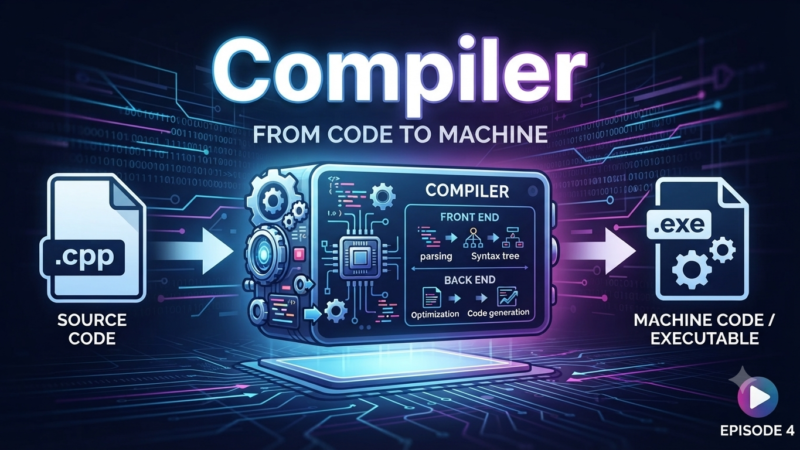
Compiler: A specialized program that translates an entire codebase into an executable file before the program runs.
Configuration File (or Config): A local text file (like
.json,.yaml, or.ini) that stores runtime settings and parameters for a software program.Connect (or Connection): Establishing a data link or communication channel between two network entities, devices, or software components.
Constant: A fixed value assigned in code that cannot be altered or modified during the program’s execution.
Constructor: A special initialization method within a class that runs automatically whenever a new object of that class is instantiated.
Content: Digital information displayed on websites or apps, including text, images, videos, and interactive media.
Cookies: Small text files saved by a web browser that store user preferences, session data, and tracking information for specific websites.
Cooler (or Heatsink/Fan): The hardware cooling assembly used to dissipate heat generated by a computer’s CPU or GPU.
Copy-Paste: The ubiquitous action of copying code or text from one source and pasting it directly into another.
Coworking: A shared office workspace utilized by independent freelancers, remote workers, and distributed tech teams.
Cracking: Explicitly breaking into or bypassing software licensing, digital rights management (DRM), or security systems to make paid software free.
Cringe: Modern internet slang for a feeling of acute embarrassment or awkwardness caused by someone else’s poor behavior or statements.
Cross-Platform: Software or frameworks capable of running seamlessly across multiple hardware architectures or operating systems (e.g., running on both Windows and macOS).
Custom: Software or hardware tailored, modified, or uniquely built to fit the specific requirements of an individual or business.
Cybersquatting: Registering, trafficking in, or using an internet domain name with bad-faith intent to profit from the goodwill of a trademark belonging to someone else.
D
DDoS Attack (Distributed Denial of Service): A malicious attempt to disrupt the normal traffic of a targeted server or network by overwhelming it with a flood of internet traffic from multiple compromised systems (a botnet).
Deadline: The strict target date or time by which a project, feature, or task must be completed and delivered.
Debugging: The methodical process of tracking down, isolating, and fixing bugs or unintended behaviors within software.
Default: A pre-selected setting or configuration value that a software program falls back to if no user alternative is provided.
Deployment (or Deploying): The process of pushing compiled, production-ready software code out to a target server, cloud platform, or user device where it will run live.
Destructor: A special cleanup method in certain programming languages (like C++) that automatically runs when an object is destroyed or goes out of scope, releasing its allocated memory.
Developer: A software engineer, programmer, or designer who builds application systems and infrastructure.
Device: A physical electronic asset or hardware unit, such as a laptop, tablet, router, or smartphone.
Direct Message (DM) (or Private Message/PM): A private, one-on-one digital message sent between users on social media or workplace communication tools (like Slack).
Directory: The structural equivalent of a file folder within a computer’s file system layout.
Disconnect: The abrupt termination of a network connection or communication channel between hardware or software systems.
Distribution (or Distro): A specific bundle of software components. Most commonly used to describe an operating system package built on top of the Linux kernel (e.g., Ubuntu, Fedora).
DIY (Do It Yourself): Handcrafting hardware configurations, custom electronics, or software tools without professional commercial intervention.
Documentation (or Docs): Written reference materials, manuals, code comments, and APIs that explain how a software system works or how to use it.
Domain Name: A human-readable text address used to navigate to a specific website on the Internet (e.g.,
365education.org).Driver: A dedicated software program that acts as a translator, allowing an operating system to communicate and interact smoothly with external hardware devices.
Drop: To explicitly discard, delete, or remove a database table, connection, or file from a system.
Dump (or Memory/Database Dump): A file snapshot containing raw data from a database or a computer’s volatile memory at a specific moment, usually captured for debugging or backup purposes.
Dynamic Array: An array data structure that can automatically resize itself (expanding or contracting) as elements are added or removed during runtime.
Dynamic Link Library (DLL): A file structure containing compiled code modules that can be shared and linked into executable applications at runtime rather than being compiled directly into the binary.
Dynamic Memory Allocation: Requesting arbitrary blocks of volatile memory from the operating system’s heap storage layer during application execution, rather than relying on the fixed-size stack.
G
Gadget: A compact, practical electronic device or physical tool that performs a specific, specialized function.
Game Development (or Gamedev): The specialized industry and practice of designing, coding, and building interactive video games.
Game Controller (or Gamepad): A handheld input device used primarily to control characters and actions in video games.
Gamer: An individual who actively plays video games.
Gameplay: The specific mechanics, structural design, rules, and user experience loop of a video game.
Geek: An enthusiast obsessed with a particular technical topic or intellectual field; today, it is overwhelmingly applied to highly knowledgeable software engineers and computer hobbyists.
Generation (or To Generate): Producing data, text, assets, or software files automatically using an algorithmic process or system tool.
GIF: A bitmap image file format that supports basic loopable, short animations.
Glitch: A fleeting, minor technical fault, visual rendering error, or brief software lag that disrupts normal behavior without completely crashing the system.
Global Variable: A variable declared outside of any individual function block, making it accessible throughout the entire program lifetime.
Google (or To Google): Using a web search engine to find code examples, documentation, or technical information.
Graphical User Interface (GUI): A visual interface that allows users to interact with software through graphical components like windows, icons, menus, and buttons, rather than plain text.
Guide: A tutorial, reference instruction manual, or architectural overview document.
Guru: An industry term for a highly experienced subject-matter expert or legendary technical architect within a specific domain.
H
Hack: A clever, non-standard workaround or a quick, messy hotfix implemented to patch a bug immediately, often sacrificing long-term code quality for speed.
Hardware: The physical, tangible computing machinery, internal components, and circuitry of an IT asset.
Header File: A source file (common in C/C++) containing forward declarations of functions, classes, and variables to be shared across multiple code files.
Hibernation: An advanced low-power state where an operating system saves the contents of its volatile memory (RAM) directly to persistent storage (SSD/HDD) before completely powering down.
I
ID (or Identifier): A unique alphanumeric sequence, string, or symbol used to uniquely distinguish and index a user, variable, record, or object within a system.
IMHO: Internet acronym for “In My Humble Opinion.”
Incapsulation (Encapsulation): A core pillar of Object-Oriented Programming that binds data and code methods together into a single unit (class) while restricting direct external access to internal state details.
Increment: To systematically increase an integer or variable value by a fixed amount (most commonly adding 1).
Indie Game: A video game created by independent developers or small self-funded teams without the financial backing or oversight of a major commercial publisher.
Information Security (InfoSec): The collective field, policies, and tools focused on protecting digital data, networks, and systems from unauthorized access, breaches, or tampering.
Insight: A sudden realization or clear understanding of a complex problem, architectural bottleneck, or data trend.
Installation (or To Install): The process of setting up, copying, and configuring a software package onto a local system or server so it is ready to run.
Integrated Development Environment (IDE): A comprehensive software suite (e.g., VS Code, IntelliJ) providing a code editor, compiler, debugger, and automation tools inside a unified interface.
Internet (or Net): The global interconnected network of computers and servers communicating via standard TCP/IP protocols.
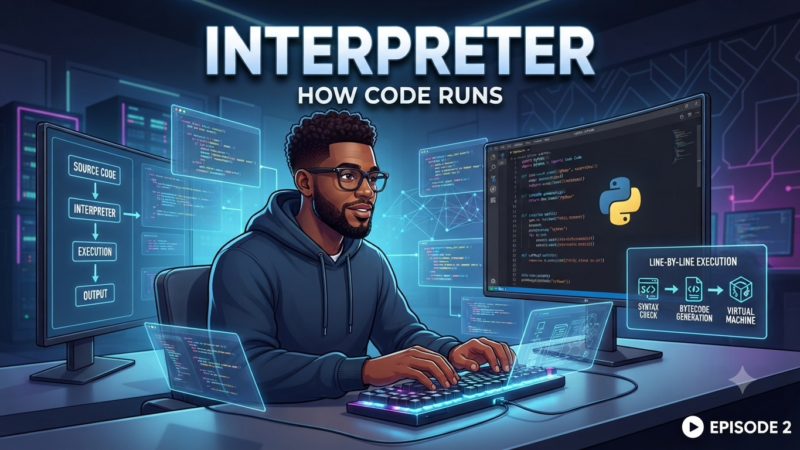
Interpreter: A runtime tool that reads and executes source code line-by-line on the fly, without compiling it into a standalone binary executable first (e.g., Python execution).
IP Address: A unique numerical label assigned to every device connected to a computer network that uses the Internet Protocol for communication.
ISP (Internet Service Provider): A commercial company that provides subscribers with access to the internet.
IT (Information Technology): The vast industrial sector and professional field dedicated to utilizing computers, networking, storage, and software infrastructure to manage data.
IT Evangelist: A technical professional or spokesperson dedicated to publicly promoting, preaching, and building a community around a specific technology, framework, or platform.
Iteration: A single repetitive loop execution in code, or a single developmental sprint cycle within an Agile management framework.
Iterator: A specialized programming object that allows a developer to traverse through a collection or container data structure (like an array or list) one element at a time.
L
Lag: A noticeable, disruptive delay between a user’s input action and the software network’s response.
Lamer: Early tech slang for an incompetent person who is loud and opinionated about technology but possesses no actual technical knowledge. (Distinct from a Newbie or Junior, who are willing to learn).
Legacy Code: Inherited source code that is outdated, difficult to maintain, or uses old frameworks, but remains critical to production systems.
Level: A specific stage, map, or progression tier within a video game.
Life Hack: A clever shortcut, tip, or trick that optimizes efficiency or solves an everyday problem.
Link: A clickable hypertext anchor reference that routes a user to another page, document, or online asset.
Linker: A development program that combines compiled object code files into a single, cohesive executable binary or library file.
Linux: A famous open-source, Unix-like operating system kernel created by Linus Torvalds, which serves as the foundation for countless enterprise server distributions.
Literal: A notation for representing a fixed, hardcoded value directly in software source code (such as the number
42or the string"Hello World").Local Area Network (LAN): A localized computer network confined to a small geographic footprint, such as a single office building, room, or home.
Local Variable: A variable declared within the narrow scope of a specific function or code block, destroyed immediately once execution exits that block.
Log File: A running text file that automatically records chronological events, user behaviors, operations, or system errors within an application or server.
Login: The secure process of authenticating a user’s identity via credentials to gain access to a system, or the username string itself.
LOL: Internet acronym for “Laughing Out Loud.”
M
Machine Code (or Machine Language): The lowest-level software language, consisting entirely of binary digits (
0s and1s), which a computer’s CPU executes directly.Macro: A programmable shortcut or script that automates a specific sequence of keystrokes, commands, or code executions.
Mainframe: A powerful, high-performance physical computer system utilized by large enterprises for massive data processing and critical transaction workloads.
Main Loop: The core structural loop within a program or game engine that runs continuously, handling user input, updating internal logic, and rendering graphics until the application exits.
Malware: A broad term for malicious software—including viruses, ransomware, spyware, and trojans—designed to damage or disrupt computer systems.
Meta: A prefix meaning “about itself.” In tech, it refers to data about data (metadata) or programming programs that write or modify other programs (metaprogramming).
Method: A function that is defined inside a class and operates on the data associated with objects of that class.
Microservices: An architectural approach to software development where a large application is built as a collection of small, independent, and loosely coupled services that communicate over APIs.
Mid-Level Developer: A software engineer who has graduated from entry-level tasks, possesses several years of experience, and is capable of working independently on complex features without constant supervision.
Minification: The process of removing all unnecessary characters (like whitespace, comments, and long variable names) from source code without changing its logic, reducing file sizes for faster web downloads.
Mockup: A static, visual blueprint or design layout of a user interface created by UI/UX designers to show how an app will look before coding begins.
Motherboard: The primary printed circuit board (PCB) in a computer that contains the CPU, system memory, and slots for peripheral expansion cards.
N
Namespace: A declarative region used to organize code elements into logical groups and prevent naming collisions (e.g., two functions having identical names).
Native: Software built explicitly to run on a specific operating system or hardware architecture without relying on emulation or translation layers.
Nest (or Nested): Placing a code structure inside another identical structure (e.g., a nested loop or nested conditional statement).
Network: A collection of interconnected computers, servers, and devices that communicate and share data.
Newbie (or Noob): Slang for a complete beginner or newcomer to programming, technology, or gaming who is eager to learn.
Node: A structural element or point of connection within a network, data structure (like a linked list or tree), or a specific server instance in a cluster.
Null: A built-in code literal or pointer value that represents the intentional absence of any object value or reference.
O
Object: An instance of a class in object-oriented programming, containing concrete data values and executable code methods.
Object-Oriented Programming (OOP): A programming paradigm centered around the concept of “objects,” which bundle both data (attributes) and behaviors (methods) together.
Open Source: Software with source code that is publicly accessible, allowing anyone to inspect, modify, and distribute it freely under an open license.
Operating System (OS): The foundational system software (e.g., Windows, macOS, Linux) that manages a computer’s hardware resources and provides common services for application programs.
Overclocking: The practice of manually increasing a computer component’s clock rate (usually the CPU or GPU) to run faster than its manufacturer-specified speed.
Overloading: The ability to define multiple functions or operators with the same name but different input parameters within the same scope.
Overriding: A feature in OOP where a child class provides a specific implementation for a method that is already declared in its parent class.
P
Package: A bundled collection of code files, modules, or libraries wrapped together so they can be easily installed and managed by a package manager (like npm or pip).
Pair Programming: An Agile development technique where two programmers work together at one workstation—one writes the code while the other reviews it in real-time.
Parameter: A variable declaration in a function definition that acts as a placeholder for data values passed into the function when it is called.
Patch: A minor software update designed to fix specific bugs, security vulnerabilities, or performance issues in an existing program.
Peer-to-Peer (P2P): A decentralized network architecture where individual computer nodes communicate and share files directly with one another without needing a central server.
Ping: A network utility command used to test the reachability of a host on an IP network and measure the round-trip time for messages sent to it.
Pipeline: A continuous automated sequence of steps used in DevOps (CI/CD) to build, test, and deploy code changes directly to production servers.
Pointer: A specialized variable in languages like C/C++ that stores the direct physical memory address of another variable or object.
Production (or Prod): The live, operational server environment where finalized software runs and real end-users interact with it.
Profiler: A software analysis tool that monitors a program’s execution to measure memory usage, CPU consumption, and function execution speeds to locate performance bottlenecks.
Pull Request (PR) (or Merge Request): A mechanism in version control platforms (like GitHub or GitLab) where a developer submits code changes and requests a team review before merging them into the main codebase.
Q
QA (Quality Assurance): The team and systematic process dedicated to testing software applications to ensure they meet requirements, function smoothly, and are free of bugs.
Query: A precise, structured request for data sent to a database (most commonly written in SQL) or a search engine.
Queue: A linear data structure that follows the “First-In, First-Out” (FIFO) principle, where the first element added is the first one to be removed.
R
RAM (Random Access Memory): A computer’s high-speed, volatile physical memory used to temporarily store active data that the CPU needs to access quickly.
Refactoring: Bending and restructuring existing source code to improve its internal design, readability, and maintainability without altering its external behavior.
Release: A finalized, stable version of a software product made available for commercial distribution or public download.
Repository (or Repo): A digital storage space—typically managed by version control tools like Git—where a project’s source code, history, and documentation are kept.
Request: A data packet sent from a client device (like a web browser) to a server asking for a resource, web page, or API action.
Response: The data payload sent back by a server to a client device after processing a request.
Root: The top-most directory in a file system, or a system user account on Unix/Linux systems that has absolute administrative privileges over all files and commands.
Router: A physical network device that routes data packets between different computer networks.
Runtime: The time period during which a software application is actively running and executing on a device.
S
Sandbox: An isolated, secure testing environment that allows developers to run untested code or malware without affecting production systems or local hardware.
Scalability: The capability of a software system, network, or server architecture to handle a growing amount of work or data gracefully by scaling up resources.
Script: A lightweight program or file containing a sequence of commands written for an interpreter to automate repetitive tasks (e.g., Python or Bash scripts).
Scrum: An iterative, incremental Agile framework for project management that relies on daily stand-up meetings and fixed time blocks called sprints.
SDK (Software Development Kit): A comprehensive bundle of development tools, libraries, documentation, and code samples provided by a platform vendor to help developers build apps for that platform.
Senior Developer: An expert software engineer with extensive technical experience, capable of designing complex software architectures, mentoring junior developers, and leading technical strategies.
Server: A dedicated computer system or cloud instance designed to process requests, manage data storage, and deliver web pages or applications to client devices over a network.
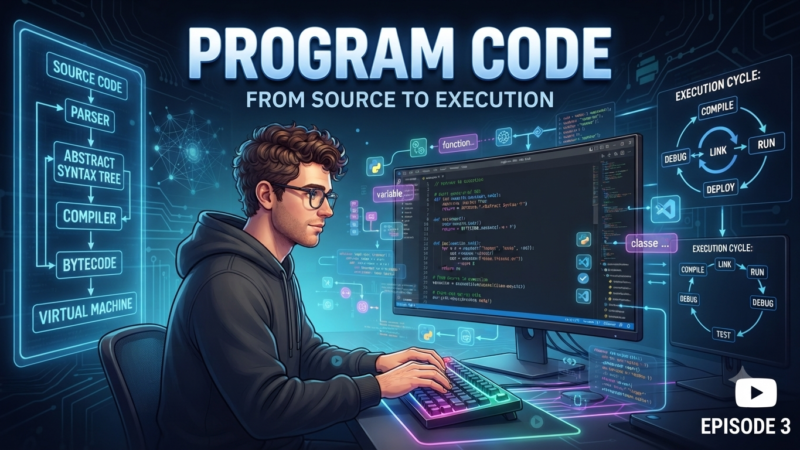
Source Code (or Source): The human-readable collection of instructions written in a programming language by a developer, before being compiled or interpreted.
Spam: Unsolicited, unwanted digital messages sent in bulk across emails, forums, or chat applications.
Sprint: A designated, short timeframe (usually 1 to 4 weeks) in Agile project management during which a development team commits to completing a specific set of tasks.
Stack: A linear data structure that follows the “Last-In, First-Out” (LIFO) principle. In corporate terms, it can also refer to a Tech Stack—the combination of programming languages, frameworks, and tools used to build an application.
Staging: A replica environment of the production server used by developers and QA teams to thoroughly test new features before pushing them live to real users.
Syntax: The strict set of grammar and formatting rules that govern how statements must be written in a specific programming language.
T
Task: A defined unit of development work, usually tracked within a project management board (like Jira or Trello).
Tech Debt (Technical Debt): The future cost of extra development work required because a team chose a quick, messy, or unoptimized coding solution now instead of a proper architectural design.
Template: A generic blueprint, pre-formatted file, or reusable code layout that serves as a starting point for creating new files or UI layouts.
Terminal: A text-based command-line interface application used to interact directly with an operating system kernel.
Thread: The smallest sequence of programmed instructions that can be managed independently by an operating system’s CPU scheduler.
Ticket: A documented issue or task tracking record created within project management tools to flag a bug, task, or feature request.
Token: A secure digital key, string, or object used to authenticate a user’s session or grant specific API access permissions.
Traffic: The volume of data and users moving across a network, server, or website at any given time.
Troll: An internet user who deliberately posts inflammatory, rude, or digressive messages in online communities to provoke an emotional reaction from others.
U
UI (User Interface): The visual and interactive components of a software application—including screens, buttons, text fields, and menus—that users see and interact with.
Unit Testing: A software testing method where individual, isolated chunks of source code (such as specific functions or methods) are tested automatically to verify they work correctly.
UX (User Experience): The overall internal experience, ease of use, and satisfaction a person feels when interacting with an application or digital product.
V
Valid: Code, data, or system inputs that conform strictly to established rules, data types, formatting requirements, or security parameters.
Variable: A named storage location in a computer’s memory used to hold a data value that can be read, modified, or updated during program execution.
Version Control: A system (most notably Git) that records changes to a file or set of files over time, allowing developers to track modifications, revert to previous states, and collaborate seamlessly.
Virtual Machine (VM): A software-based emulation of a physical computer system that runs its own isolated operating system inside a host computer.
W
Webinar: An interactive seminar, technical presentation, or educational lecture conducted entirely online in real-time.
Webmaster: A legacy industry term for an individual responsible for maintaining, updating, and ensuring the server health of a website.
Wireframe: A basic, low-fidelity schematic layout used by designers to map out the functional structure and user flow of an application interface before adding graphics.
Wiretapping (or Packet Sniffing): Intercepting and monitoring data packets flowing across a computer network using specialized hardware or software tools.
Workflow: A repeatable, orchestrated sequence of technical steps or tasks required to complete a specific business process or development pipeline.
Workspace: The designated root directory, file structure, or configuration setup where a developer keeps their project assets within an IDE.
Z
Zip File: A highly common compressed file archive format used to bundle multiple files and folders together while reducing their total storage footprint.
Explore More IT Terms
#
- Using an integrating factor
- Equations in total differentials
- Bernoulli's equation
- Linear differential equations of the first order
- 10 Mixed C++ Challenges to Test Your Skills
- 11 Tricky Non-Technical Questions to Ask in a Recruiting Interview
- 50 Terms Every Programmer Should Know
- 52 Java Thread Interview Questions
- 7 Levels of Using the Zip Function in Python
- 7 Python Code Bugs You Need to Fix
- 70+ Free Resources for Learning Programming
A
- A Comprehensive Guide to HTML and CSS
- A Comprehensive Guide to MODX CMS
- A computer science question tests your ability to work with IP addresses and network masks
- A Guide to SQL Query Formatting for Beginners
- A/B testing
- Abstract Data Type (ADT)
- AES Encryption Algorithm: How It Works and Where It's Used
- Agile
- Algorithm
- Algorithm Analysis
- Algorithm Complexity-Key Points
- Algorithm complexity: deep parsing O(log n)
- Algorithm vs. Program
- Algorithms and Data Structures in C#
- An overview of the C # programming language
- An overview of the Python programming language
- Anaconda Python
- Analysis of graphs and adjacency matrices question
- Android
- Android App Bundle
- Android SDK
- Angular
- Ansible
- Apache
- Apache Airflow
- Apache Kafka
- Apache Tomcat
- App Store
- AppCode
- Applications of microcontrollers: From simple circuits in electronics to complex systems
- Applications of the derivative
- Arduino: How to Program It: Basics for Beginners
- Array-based stack
- ArrayList
- ASCII
- ASP.NET
- Assembly Language Lessons
B
C
- C++ Lessons
- Cache
- Calculating Memory Capacity
- Character sets and encodings
- Characteristics of a good Algorithm
- Circular singly linked list
- Coding Tests with Answers
- Combinational Circuits Solved Questions
- Compiler
- Complexity of algorithms-Tutorial
- Computer Science Fundamentals Test with Answers (47 questions)
- Computer science tests with answers (More than 100 Questions)
- Constants
- Creating a Table in HTML
- Creating Forms in HTML
- Creating Lists
- Cybernetics and informatics
- Cycles
D
- Data Analytics: applications of data analysis in companies
- Data Engineer - Who is it, what does a data engineer do, and an overview of the profession
- Data modeling: what it is, types, and process steps.
- Data preprocessing: a complete guide for beginners and professionals.
- Data structure
- Data Structures and Algorithms (DSA)
- Data types vs. Data structures
- Database Tests with Answers
- Deep Learning
- Defining Aliases
- Defining Arrays
- Deque
- Detailed articles and tutorials on PHP
- Developing a Website from Scratch
- Differential Equations
- Differentiation of functions
- Digital data: understand the importance of this asset for businesses.
- Double integrals
- Doubly linked lists
- DSA Tutorial
E
F
G
H
- Handling errors and exceptions
- Heads or Tails? How Probability Theory Is Used in IT
- History of the development of computer science
- Homogeneous equations
- Homogeneous vs. non-homogeneous structures
- How to effectively organize your workflow
- How to Learn Java: Tips for Beginner Developers
- How to Learn PHP: A Beginner's Guide
- How to Use S3 Storage in Kubernetes with CSI
- HTML
- HTML and CSS: Definition, Application, and Operating Principles
- HTML and CSS. Layout from Scratch: What to Learn, Where to Learn, and How Long Will It Take?
- HTML Frame Structure
- HTML Link Formatting
- HTML Quizzes with Answers
I
- if..else construction
- Infinite sequences and series
- Information properties
- Inheritance in Java: A Complete Guide to Principles and Implementation
- Inserting an Image
- Integration of functions
- Interactive Python Tutorial – Learn Programming from Scratch
- Interpreter
- Interview Problem: Finding a Deleted Element in O(N)
- Interview Scare: The FizzBuzz Challenge
- Introduction to C++
- Introduction to Machine Learning
- Introduction to Networking | Network Fundamentals Part 1
- Introduction to Number Systems (Binary, Octal, Hexadecimal) | Math for CS Foundations #1
- IT Specialist Resume (CV)
J
K
L
M
- Machine Learning
- Machine Learning Basic Tool: NumPy
- Machine Learning Basic Tool: Pandas
- Machine Learning Mathematics
- Mathematics for programmers: what is really needed?
- MD5 encryption algorithm: What is it and why is it needed?
- Microcontroller and Microprocessor - what's the difference?
- ML Engineer: Who They Are, What They Do, How Much They Earn, and How to Become a Neural Network Specialist
- Monte Carlo Simulation: How It Works and What It's For
O
P
- PHP lessons
- Private DNS server and its configuration
- Program code
- Programmer's Dictionary
- Programming
- Programming with pseudocode
- Python Code Formatting Guide: PEP8
- Python for data analysis: how to do it and main libraries
- Python Lessons
- Python Superstar: 5 Ways to Use the * Operator
- Python vs. Julia: Should You Replace Python with Julia?
R
S
- SFML Graphics Library Tutorials
- Sorting Algorithms in Programming: Types, Descriptions, and Comparisons
- SQL commands: see what they are, what the main ones are + examples
- SQL Interview Questions and Tasks
- SQL Lessons
- SQL Stored Procedures
- SQL Syntactic Sugar: The COALESCE Function
- Stack
- Start in analytics: Python or R
- Static vs. dynamic data structures
- Statistical analysis: importance for decision making.
- String formatting in Python
- Structure of computer science
- Swift Lessons
- switch/match construct
- Syntax
T
- Terms in programming
- Text and paragraph formatting tags
- The Complete Guide to Bootstrap
- The Complete Guide to JavaScript
- The concept of information and its transmission
- The Future of Python: Key Trends and Insights from Global Researc
- The Infrastructure of Code: A Complete Guide to Repositories for Languages, Frameworks, and Compilers
- The pip package manager in Python
- The role of informatization in the development of society
- Transfers
- Tricky Java Questions Often Asked in Interviews
- Tutorials / Articles
- TypeScript: What It Is and Why Developers Need It
W
- What are databases, and why do they need DBMS and SQL?
- What do Linux distributions consist of?
- What is .NET and what is it used for?
- What is a data structure?
- What is a GPU in a computer, in simple terms?
- What is a quantum computer: 100,500 problems in one second
- What Is an Algorithm?
- What is Arduino: How it Works and the Platform's Capabilities
- What is Big Data? Introduction, Types, Characteristics, and Examples
- What is FizzBuzz Challenge?
- What is Golang and what is it used for?
- What is Haskell and what is it used for?
- What is Kotlin and what is it used for?
- What is Linux? The History of Linux
- What is machine learning, and how does it work?
- What is Power BI: everything about the data analytics software
- What is recursion, recursive and iterative process in programming?
- What is the C++ programming language?
- What is the OSI Model: A Complete Explanation of the Seven Layers and Their Role in Networking
- What's the difference between x86 and ARM processors?
- Where to start learning the C programming language?
- Which Linux distribution should you choose? A Linux distribution overview